Shopify SEO services
The settings Shopify leaves to you, checked and explained.
Shopify gets the basics right on its own. The parts that decide rankings are left to the store owner: what your collection pages say, how products link from them, which filter pages Google can reach, and how heavy the theme and apps make each page.
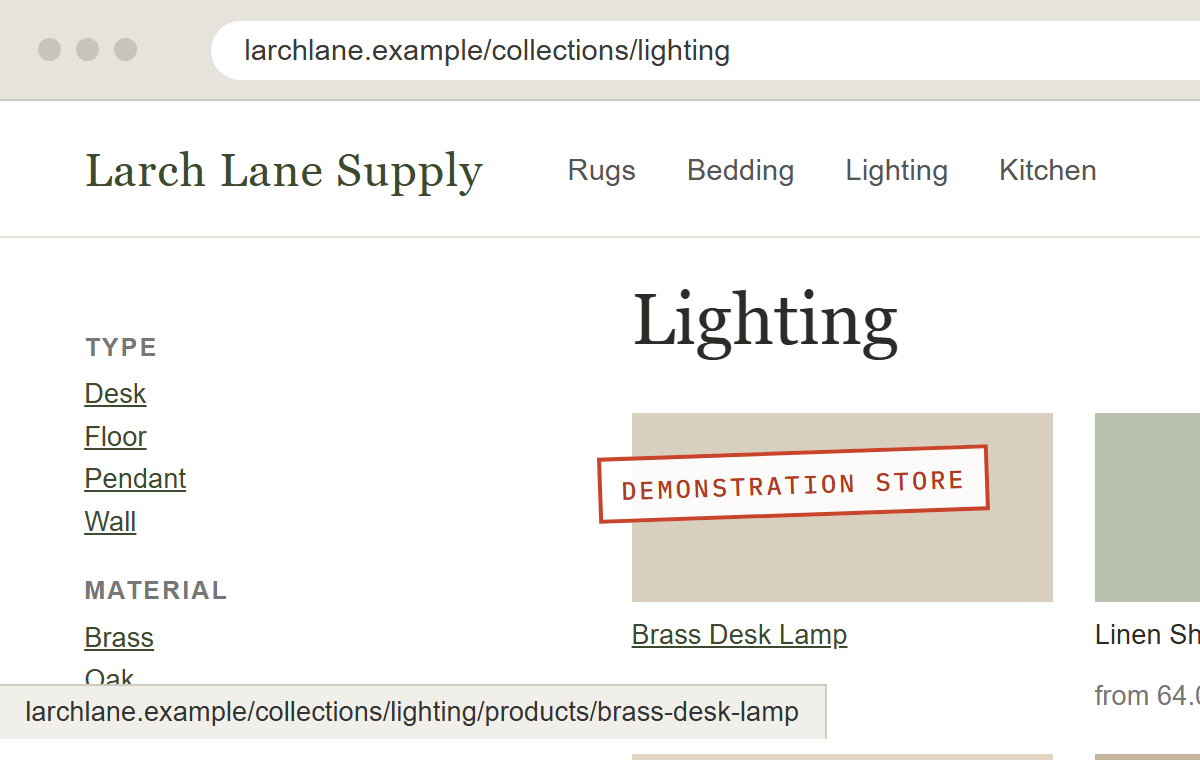
- Hovered product
- Product link goes through the collection address
What Shopify handles and what it leaves to you
Shopify handles
- A sitemap file, made and updated for you
- A robots.txt file with sensible defaults, which you can edit
- A canonical tag on each page, pointing to its main address
- Editable page titles and meta descriptions
- Secure pages (https) by default
- Language and country versions through Shopify Markets, with tags telling Google which version is which
Left to you
- The words on each collection page
- Which address your theme uses when it links to a product
- Which filter and tag pages Google can crawl
- Image file names and alt text
- The weight of your theme and apps, which sets page speed
- Product data that Google shows in shopping results: price, stock, reviews
How to write the collection pages is in our product and category page guide, and which filter pages to keep out of Google is on our technical SEO page.
Where Shopify stores lose rankings
Product links that go through a collection.
Some themes link to
/when the main address iscollections/ lamps/ products/ brass-desk-lamp /. Shopify's canonical tag points Google to the main one, but every internal link still points somewhere else.products/ brass-desk-lamp - Before
- /
collections/ lamps/ products/ brass-desk-lamp - After
- /
products/ brass-desk-lamp
Tag pages that copy their collection.
Filtering a collection by tag can make a page like
/. It shows almost the same products as the collection itself. When hundreds of these exist, Google spends its time on them.collections/ lamps/ brass Filter app addresses.
Filters add settings to the address, one for each choice. Shopify blocks some of these in its default robots.txt. Filter apps can create others that it does not cover.
Variants sharing one address.
On Shopify, a product's sizes and styles share one page, with the choice in the address (
?variant=). That suits most stores. When people search for a specific shade by name, it can be worth a separate product or collection for it.Collections and blog posts chasing the same search.
A buying guide and a collection that both target "brass desk lamps" end up competing. Usually the collection should rank, and the guide should link to it.
Theme and app weight.
Every app that adds code to the storefront slows each page a little. Uninstalled apps can leave code behind. Slow pages lose shoppers before they lose rankings.
Selling abroad with Shopify Markets.
Country and language versions need the right tags so Google shows UK shoppers the UK prices. Shopify adds them, but only if Markets is set up fully.
An ecommerce SEO audit checks a store for every one of these.
To find out which of these apply to your store, request a Shopify store review.
Shopify SEO questions
Can you do proper SEO on Shopify?
Yes. Shopify fixes some things you cannot change, such as the / and / parts of each address. Everything that decides rankings within those rules can be changed.
Do I need an SEO app?
Usually, no. Most of the work is in the theme, the page text and the settings. An app can help with jobs like image alt text across thousands of products. Of course, each one adds code to every page it touches, so add them one at a time and for a reason.
How long until changes show in Google?
Google picks up a changed page the next time it visits. For busy pages that can be days, and for deep pages it can be weeks. You can ask Google to recheck a page in Search Console.
Send us your Shopify store
Give us the address and we will look at it the way Google does.