Product page and category page SEO
Two templates do most of a store's ranking. This is how to set them up.
Category pages, which Shopify calls collections, usually rank for broad searches like "linen bedding". Product pages rank for exact ones like "white linen duvet cover king". So each needs different work.
Give each category page a title and heading that match the broad search.
Put a few useful lines of text above the products.
Write your own product descriptions instead of the maker's.
Make sure each product has one address and correct product markup.
Link from categories to products, and from products back up.
Category page or product page: which one should rank
The search results are by far the best guide here. It doesn't matter how good your category page is if Google only shows single products for that search. So search the phrase yourself and look at the first page. If Google shows mostly category pages from other shops, it has decided people want a choice, and your category page is the one to set up. If it shows single products, a product page fits. If it shows guides, neither will rank easily, and a buying guide that links to both might.
Setting up a category page to rank
Title: the broad search phrase, then your store name. For example
Linen Bedding | Larch Lane Supply.Heading: the plain name of the category, matching the title.
Text above the products: two or three short paragraphs. Say what is in the range, how to choose between the products, and what sizes or materials there are. Write for a shopper deciding, and keep the first lines short so the products still show on a phone screen.
Text below the products (optional): longer buying help, care notes and common questions.
Filters: useful for shoppers. Keep the filtered addresses out of Google's index unless a filter matches a real search.
Number of products: a category with two products looks thin to shoppers and to Google. Merge small ones.
Links: link to subcategories and to the best sellers. Breadcrumbs (Home > Bedding > Linen) help shoppers and Google see where the page sits.
Setting up a product page to rank
Title: the product name with its key detail (material, size, type), then the store name.
Description: your own words. Maker text appears on every store that sells the product, and Google tends to show only one copy.
Details in text: materials, sizes, care and what is in the box, written out so they can be read and searched.
Images: clear file names (
white-linen-duvet-cover.jpg) and alt text that says what the picture shows.Reviews: shown on the page as text, from real customers.
Product markup: price, currency, stock and reviews, matching what the page shows.
One address: links, sitemap and canonical tag all agree.
To have your own category and product pages checked against this list, ask us to review your pages.
Writing product descriptions that rank and sell
Start with the words a shopper would search, then answer the questions they would ask in a shop: what it is made of, how big it is, how it feels, how to look after it, and who it suits. Short paragraphs and a list of specifications both work. If you sell hundreds of near-identical products, write fully for the best sellers first and give the rest a shorter, still original, line or two.
Variants, stock and old products
Keep variants on one page unless people search for one by name. Keep out-of-stock pages live if the product is coming back. Redirect discontinued products to their closest replacement. The full detail is on our technical SEO page. For the rest of the store, work through the full checklist.
Before and after
DEMONSTRATION STORE Both examples are from Larch Lane Supply, a store we built to show this work. They are not client pages.
Example 1, a category page
Before
- Title
Collection: Bedding - Heading
Bedding - Text above the productsNone, above 40 products
After
- Title
Linen Bedding Sets and Duvet Covers | Larch Lane Supply - Heading
Linen bedding - Text above the productsTwo lines: what the range covers and how to pick a weight
Example 2, a product page
Before
- Title
LL-2231 - DescriptionThe maker's, word for word
- Image file
IMG_0042.jpg
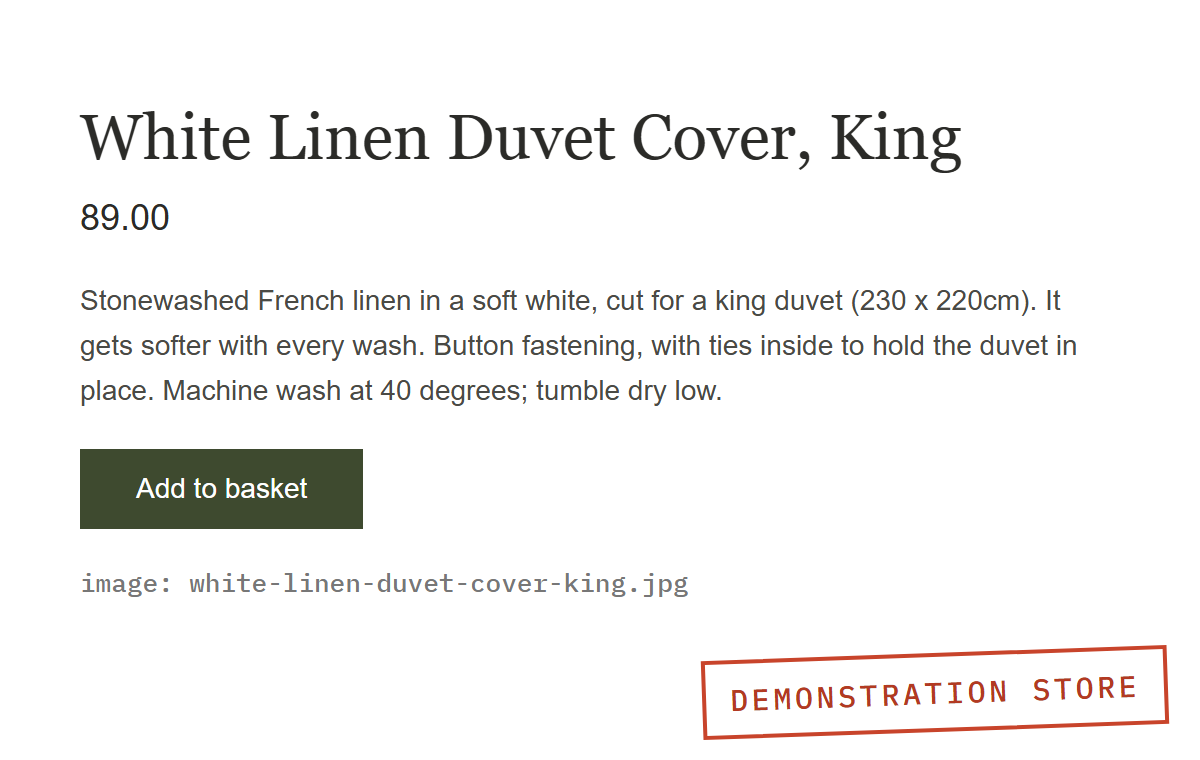
After
- Title
White Linen Duvet Cover, King | Larch Lane Supply - DescriptionWritten for the store, with sizes and care
- Image file
white-linen-duvet-cover-king.jpg, with alt text
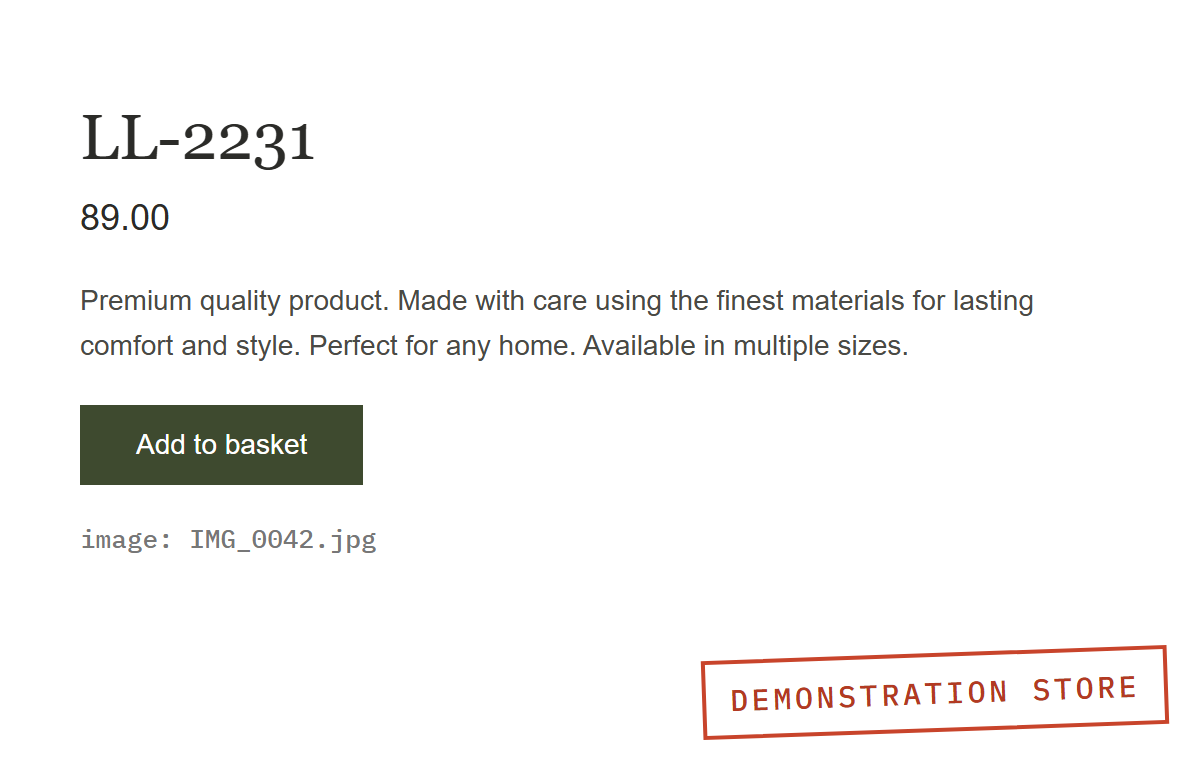
- Title is a stock code
- Maker text, word for word
- Image named IMG_0042.jpg
Want us to look at yours?
Send us your store and we will look at your category and product pages against everything on this page.
For the whole store, from crawling to product data, see the ecommerce SEO audit.